Ich habe dieses Problem mit den fehlenden Umlauten nicht. Wahrscheinlich wurde die Codierung der Mapdateien durch irgendetwas oder irgendjemanden geändert.
Bitte mal in den Windows-Einstellungen unter Sprache und Region > Administrative Spracheinstellungen prüfen, ob das Kontrollkästchen „Beta: Unicode UTF-8 für die Unterstützung weltweiter Sprachen verwenden“ aktiviert ist, wenn ja deaktivieren und den PC neu starten.
Ggf. muss die Map danach nochmal gelöscht und neu installiert werden, um sicherzustellen, dass die Mapdateien nicht in UTF8 sondern in ANSI codiert sind.
ENG
No, that's not that issue. I didn't have that checked and the same problem. And you're wrong. It's the other way around: files must be encoded in UNICODE instead of ANSI.
I unpacked the archive using Total Commander, and only two map files unpacked incorrectly. As a side note, this is the first time this has happened, and I have about 30 other German maps, and Total Commander has always automatically unpacked correctly. So I assume it's an issue with the archive.
DE
Nein, daran liegt es nicht. Ich habe das nicht überprüfen lassen, und trotzdem besteht das Problem weiterhin. Und Sie irren sich. Es ist genau umgekehrt: Dateien müssen in UNICODE statt in ANSI kodiert werden. Ich habe das Archiv mit Total Commander entpackt, und nur zwei Kartendateien wurden fehlerhaft entpackt. Nebenbei bemerkt: Das ist das erste Mal, dass dies passiert ist, und ich besitze etwa 30 weitere deutsche Karten, die Total Commander bisher immer automatisch korrekt entpackt hat. Daher gehe ich davon aus, dass es ein Problem mit dem Archiv selbst ist.
Hi ich habe mal ne frage und zwar fehlen mir splines und paar objekte? kann mir da villt einer helfen`? ich habe mal en foto angehängt villt kann mir ja jemand helfen
Fehlt bei mir auch... Einige sind vorhanden kommen aber mit dem ß nicht klar. Sind zwar von ß in ss umbenannt, aber es funktioniert trotzdem nicht...
Ein paar Repaint´s fehlen ebenfalls...
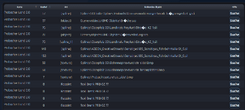
ENG
Solution: in archive two files: tile_-1_7.map and tile_17_-3.map are encoded in ANSI instead of Unicode. You need to open them with Notepad and save them as Unicode or convert them to Unicode
DE
Lösung: Die Dateien in Archiv: tile_-1_7.map and tile_17_-3. 2 sind im ANSI-Format anstatt im Unicode-Format kodiert. Sie müssen sie mit Notepad öffnen und als Unicode speichern oder konvertieren.
Above solution resolve issues with: Straße_KZ_1.sli and Brücke.sco missing. If you have any others you must find by Find and Replace program. Roadmaster '93 very useful application.
edit//
ENG.
Unfortunately, the problem is a bit more serious because several *map files in the archive are saved in the incorrect ANSI format, and on computers with a different language (mine is Polish), some splines and a few objects cannot be found. I had to manually find all entries containing German characters, locate the *map files, and convert them to UFT8. From what I've read, this error occurs when you pack the archive with the default Windows program. Regardless, after converting from ASCII to UFT8, the map loads correctly, and the log shows no errors. The map files cannot be in ASCII; they must be in UFT8 or UFT16-LE. This is the only map I've had problem like this. I have about 30 German maps from the scene and just as many German DLCs.
Even if maptools doesn't show you any gaps, you have to convert all ANSI files because the game will have white ground and no objects.
Files to be found on Find and Replace:
- Straße_KZ_1.sli
- Brücke.sco
- Straße_KZ_1.sli
- Straße_KZ_1_noPath.sli
- mark_fußgaengerfurt_g.sli
and all map files open by notepad and save as UFT8
DE.
Leider ist das Problem etwas gravierender, da mehrere *map-Dateien im Archiv im falschen ANSI-Format gespeichert sind. Auf Computern mit einer anderen Sprache (meine ist Polnisch) lassen sich daher einige Splines und Objekte nicht finden. Ich musste alle Einträge mit deutschen Zeichen manuell suchen, die *map-Dateien finden und sie in UFT8 konvertieren. Laut meinen Recherchen tritt dieser Fehler auf, wenn man das Archiv mit dem Standard-Windows-Programm packt. Nach der Konvertierung von ANSI nach UFT8 wird die Karte jedoch korrekt geladen, und das Protokoll zeigt keine Fehler an. Die Kartendateien dürfen nicht im ANSI-Format vorliegen; sie müssen in UFT8 oder UFT16-LE sein. Dies ist die einzige Karte, bei der ich dieses Problem hatte. Ich besitze etwa 30 deutsche Karten aus der Szene und ebenso viele deutsche DLCs.
Auch wenn Maptools keine Lücken anzeigt, müssen Sie alle ANSI-Dateien konvertieren, da das Spiel sonst einen weißen Boden ohne Objekte hätte.
Zu findende Dateien on Find and Replace:
- Straße_KZ_1.sli
- Brücke.sco
- Straße_KZ_1.sli
- Straße_KZ_1_noPath.sli
- mark_fußgaengerfurt_g.sli
und alle Kartendateien mit Notepad öffnen und als UFT8 speichern


 = Englisch [EN],
  = Deutsch [DE],
  = Französisch [FR]. Wenn du die angegebene Sprache nicht beherrschst, schreibe auf Englisch!